03 · QUIZ ME
Study with your
own handwriting.
No copying onto flashcards and no AI allowance used: Otriva covers answers right in your notes. Recall first, take a hint if needed and reveal the passage again.
Download free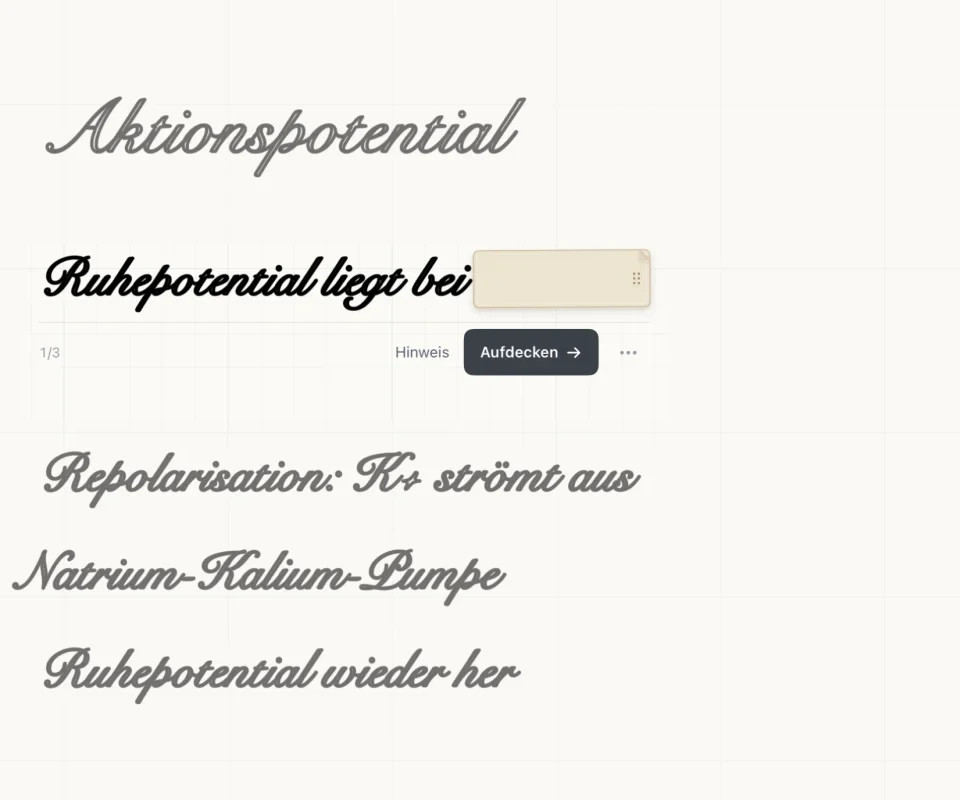
How it works
- Cover the answer

For example in biology: the term stays visible while its explanation is covered. The rest of the page remains in view.
- Recall & reveal

Think first, then take a hint or reveal the answer.
- Finish the round
Say whether you knew the answer. At the end, Otriva shows which passages to look at again – on iPhone too.
ON IPHONE
Keep learning on the go.
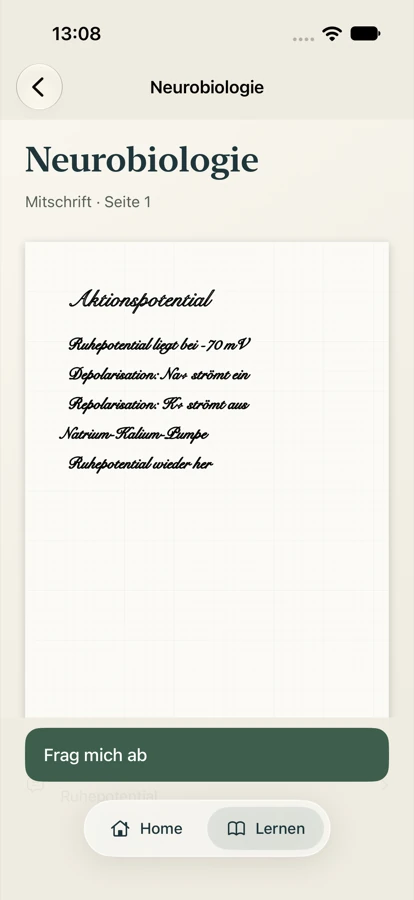
- Read your notes – everything from your iPad, synced via iCloud
- “Quiz me” – in your own handwriting
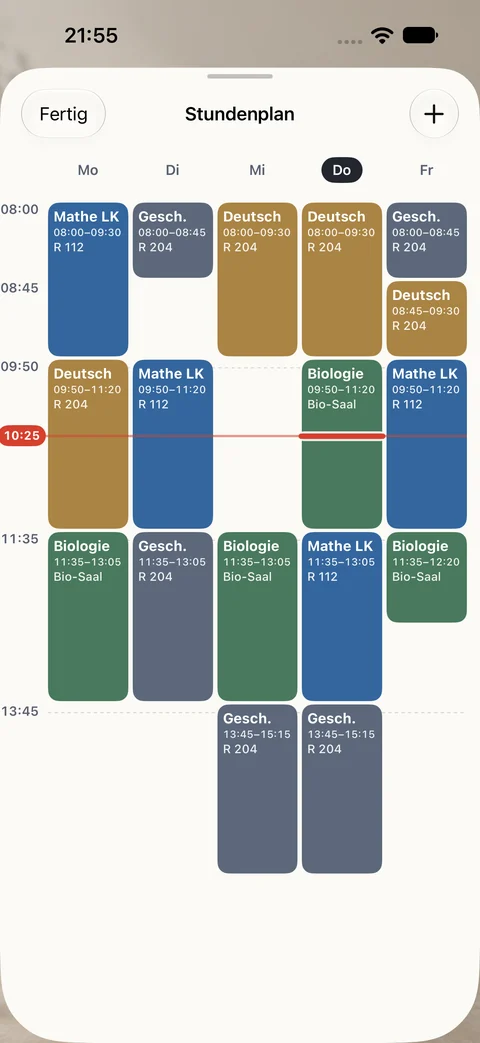
- Timetable – what’s on today, with the room
Writing happens on iPad. To sync, use the same Apple Account on both devices – no Otriva account needed.
Good to know
Quiz markers stay in your notes, ready for the next round.
“Quiz me” works with passages marked in your notes. It does not use one of your monthly AI answers.
Let your material download fully once, then it works on the go without a connection.
You write and add quiz markers on iPad. On iPhone, read the synced notes and start more quiz rounds.
Frequently asked questions
Can I write on iPhone?
No. Writing happens on iPad; on iPhone you read your notes and study with “Quiz me”.
How do my notes get to my iPhone?
Through optional iCloud sync. Sign in with the same Apple Account on both devices and turn on iCloud for Otriva.
Is “Quiz me” a paid AI feature?
No. It uses passages marked in your notes and works without Otriva Plus. Only new AI explanations count toward the answer allowance.
Do I need an Otriva account?
No. You don’t need a separate Otriva account.